





How it works.
WebFight is a game where your website is the fighter. A be1st.ai audit of your public website becomes its stats, your tech stack picks its class, and it fights other websites one on one. The better-built website wins. Today the Arena runs as a demo: sample opponents, fights saved in your browser, and real be1st.ai numbers only for websites that already have an audit. Sign-in, arena audits and one permanent public leaderboard come when the live Arena opens.
Step 01 Enter your website
Type your domain, like yourwebsite.com. We first check that it is a real, public website.
- Demo todayNo sign-in: anyone can enter any domain. Sample names such as next.example never leave your browser.
- Live todayEarly access: leave your email and, if you like, your website.
- At launchSign in with be1st.ai and bring your website, one fighter at a time. Most websites fight at once, labelled unverified; only well-known websites must prove they are yours first.
Join early accessWhat happens when you press Scan
- A clean address: only the bare domain is kept, with no path, port, user name or password. Anything that is not a website address stops here.
- One quick check: the Arena’s server looks up the domain and makes one request to your homepage (user agent WebFight/1.0 with be1st.ai as the contact). It reads the status, the headers and at most the first 16 KB, follows up to three redirects and gives up after 9 seconds.
- Public addresses only: private networks, localhost, cloud metadata and other reserved addresses are refused, so the check can only reach a public website.
- Nothing saved: the check only tells you whether the website exists, answers or sits behind a firewall. Its answer stays in the server’s memory for a few minutes and is never written to a database.
- Then the audit: today none: until the Arena opens your fighter is a labelled demo, and audits run on be1st.ai on their own never appear in the Arena.
- Early access list: stores your email, the optional website, the language, which form you used, your browser’s user agent and a salted hash of your IP address in the be1st.ai database. Cloudflare Turnstile checks that you are human, and the be1st.ai team is notified of each new sign-up.
- When the Arena opens: one website per player, swapped whenever you like (its fights and record stay with it). Only well-known websites must prove they are yours: the top 10,000 worldwide and the top 1,000 in Slovakia and in Czechia by Chrome traffic (Chrome UX Report). Proof is an email at the website’s domain, a DNS record, a meta tag or a file. Any other website fights at once, labelled unverified, and its real owner can claim it or remove it from the Arena at any time. The first Arena check is free.
Step 02 Scan your website
We analyze your public website and turn its real technical characteristics into fighter stats.
- Demo todayUntil the Arena opens every fighter is a clearly labelled demo with sample values. Audits run on be1st.ai on their own are never shown in the Arena.
- At launchYour first Arena check is free: be1st.ai audits your website (fingerprint, SEO, Security, Performance, AI readiness) and the result becomes your fighter.
Watch a demo scanSee exactly what we scan
The audit engine is be1st.ai. It visits your public homepage from the outside, the way a visitor’s browser loads it. Here is all of it: what is measured, loaded, kept, shown and never touched.
WHAT WE SCANFive checks of your homepage
The Arena uses five parts of a be1st.ai audit, plus the screenshots and the favicon for the ID card.
- Technology fingerprint: the framework, CMS or shop platform your public page is built with, and the hosting, CDN, analytics, payment, font and social tools it loads.
- Performance: how fast your server answers (time to first byte) and how heavy the page is: HTML size, page weight, number of requests, images, unused CSS and JavaScript. It is not a Lighthouse or Core Web Vitals test.
- SEO: 30 checks such as titles and descriptions, headings, canonical and robots tags, structured data, image alt texts, broken links, sitemap, HTTPS and language tags.
- Security: HTTPS and the certificate, security headers (HSTS, CSP, X-Frame-Options and others), mixed content, cookie flags and the browser’s security warnings. It only reads what your server sends.
- AI readiness: 22 checks of how well AI assistants can read you: structured data, the rules for AI crawlers in your robots.txt, llms.txt, answer-first text, FAQs, lists and tables, a Markdown version and semantic HTML.
WHAT WE READExactly what the audit loads
Public addresses that any visitor could open. The homepage is the only page whose content is read.
- Your homepage: its HTML and response headers, and the page itself loaded in a real browser (Chromium) on a desktop and a phone-sized screen, scripts included.
- Screenshots: the top of the page and the full page, on desktop (1440 px wide) and on a phone (375 px).
- Public files: robots.txt, your sitemaps (the addresses they list are recorded, not opened), llms.txt and llms-full.txt, your favicon, a Markdown version of the homepage if you offer one, and /wp-json/ when the site looks like WordPress.
- Your own code: up to four of your JavaScript files and three CSS files (more chunks on Next.js sites), to recognise the framework and its version.
- Links on the homepage: one status request per link, internal and external, to find broken ones. The linked pages are not read.
- Certificate and server: the TLS certificate, and a few unusual requests that show which web server answers: a page that does not exist, a request with an empty or an oversized header, and one to the server’s bare IP address.
- Cookies: the names and security flags of the cookies your page sets, never their values.
HOW IT VISITSOne visit from the outside
- Like a visitor’s browser: the pages load on be1st.ai’s servers in a headless browser that runs your scripts, analytics and ads included. An audit usually takes one to two minutes.
- Cookie banners: to take clean screenshots, the browser clicks the Accept button of your cookie banner, so your analytics may count the visit.
- AI helpers: an AI model (through OpenRouter) writes the report’s summary from your address and results. When an audit includes content analysis, an AI model also reads your homepage text to name its main themes, the ones on the ID card.
- AI visibility: some be1st.ai audits also ask AI assistants questions about your topic and brand. The Arena does not use that score.
- be1st.ai’s own tools: its product analytics and team notifications record which website was audited and by which account.
WHAT WE STOREWhat is kept, and for how long
be1st.ai keeps the audit in its database. Nothing expires on its own: an audit stays until the be1st.ai account that ran it deletes it.
- Scores and findings: the five scores, the result of every check and a written summary.
- What was detected: your technologies, the page title, description and other meta tags, your robots.txt rules, the addresses in your sitemaps, the links on your homepage with their text, and your llms.txt.
- Page text: when the audit includes content analysis, the visible text of your homepage, with anything it shows. No separate list of emails or phone numbers is made, and the raw HTML is not kept.
- Images: four screenshots and your favicon, in a public storage bucket.
- The Arena itself: writes nothing about your website to a database. Its server keeps lookups in memory for minutes (the class numbers for an hour); your fighter, looks and fights stay in your own browser until you clear it.
- Early access: your email, the website you add (optional), the language, which form you used, your browser’s user agent and a salted hash of your IP address, never the IP itself.
PUBLIC IN THE ARENAWhat other visitors see
When the Arena opens, anyone who visits sees these for a website that joined it, from its Arena audit. Until then the Arena shows only labelled demo fighters: an audit run on be1st.ai on its own never appears here.
- Identity: the domain, its favicon and the top of its homepage as desktop and phone screenshots.
- Numbers: Fighter Score and tier, the four stats against the class median, the audit date and the change since the previous audit.
- Class and gear: the class, and the detected tools by name: hosting, server type, CDN, analytics, payments, social networks and font providers, the framework’s major version, the certificate issuer and TLS version.
- Main theme: the page title and description, the website type and up to six themes of its content.
- Fights: battle pages show both fighters’ cards and stats, and a challenge link shows your domain to anyone who has it.
- Class numbers: each class’s median scores and number of websites, without names, from every website be1st.ai has audited.
NOT SHOWN IN THE ARENAWhat the Arena leaves out
The Arena’s pages and its API never show these. They remain part of the full be1st.ai report.
- Findings: the individual issues and failed checks, security findings included, and the written summary.
- Page content: your homepage text, robots rules, sitemap addresses and the links on your page.
- Details that help attackers: software versions beyond the framework’s major version, the server’s version and operating system, and the certificate’s expiry or problems.
- Who asked: the be1st.ai account that ran the audit.
- Early access details: readable only by be1st.ai’s admins.
WE NEVER ACCESSWhat the scan cannot touch
The audit is a visitor from the outside, with no password, no account and no access to your systems.
- No logins: it never signs in, fills in a form or sends data to your site. No accounts, no admin area.
- No hidden paths: it does not try secret files or admin pages such as /.env, /.git or /wp-admin, and it does not scan ports.
- No private systems: your server, database, hosting panel, DNS settings, email, analytics and payment accounts are out of its reach. It sees only what your website sends to anyone.
- No other pages’ content: only the homepage is read; other pages get at most a status check.
- No private networks: the Arena’s check refuses private and internal addresses, so it can only reach public websites.
WHY WE NEED ITWhat each part becomes
- Technology fingerprint: picks your class: the robot, its colours and the logo on its back. The tools become gear on the ID card. Never part of a fight.
- Performance: becomes Speed (round 1) and 20% of the Fighter Score.
- SEO: becomes Visibility (round 2) and 55% of the Fighter Score.
- Security: becomes Armor (round 3) and 25% of the Fighter Score.
- AI readiness: becomes AI Power (round 4).
- Screenshots, favicon, title: make your fighter recognisable: the favicon on its chest, the screenshots on the ID card, the main theme. Never part of a fight.
Step 03 Build your fighter
Your tech stack picks the class and look; your audit scores become four stats and one Fighter Score.
- Live todayThis is the mapping every fight uses.
- Demo todayA website without an audit gets a labelled demo fighter with sample numbers.
From scan to fighter
Your websiteyourwebsite.combe1st.ai audit- The scan measuresTechnology fingerprintFramework or CMS found in the public HTMLYour fighter getsClass and lookThe robot, its colours and the logo on its backNever in a fight
- The scan measuresPerformanceHow fast the pages load and respondYour fighter getsSpeedThe Performance score, 0 to 100Round 1
- The scan measuresSEOHow well search engines can find and read itYour fighter getsVisibilityThe SEO score, 0 to 100Round 2
- The scan measuresSecurityHTTPS, certificate and security headersYour fighter getsArmorThe Security score, 0 to 100Round 3
- The scan measuresAI readinessHow well AI assistants can read itYour fighter getsAI PowerThe AI readiness score, 0 to 100Round 4
- The scan measuresScreenshots, favicon, titleWhat a visitor sees firstYour fighter getsID cardFavicon on the chest, screenshots, main themeNever in a fight
Overall level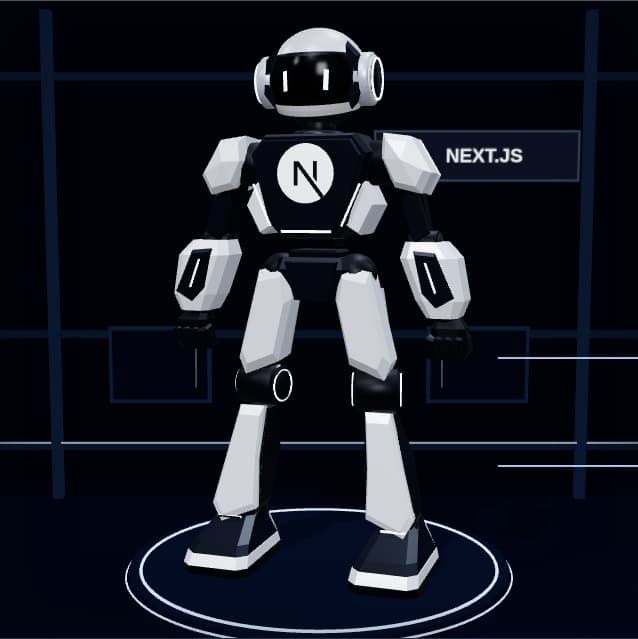
Fighter Scorebe1st.ai web score: 55% SEO, 25% Security, 20% Performance, 0 to 100. Round 5.
- Common0 to 54
- Uncommon55 to 69
- Rare70 to 79
- Epic80 to 89
- Legendary90+
Open My FighterHow the stats are calculated
- Four stats: Speed is the Performance score, Visibility the SEO score, Armor the Security score and AI Power the AI readiness score, each 0 to 100, copied as they are. No bonus, no class advantage, no luck.
- Fighter Score: be1st.ai’s overall web score: 55% SEO, 25% Security and 20% Performance, rounded. AI readiness is not part of it.
- Tier: a band of the Fighter Score: Common up to 54, Uncommon from 55, Rare from 70, Epic from 80, Legendary from 90. Never a percentile.
- Class: the framework or CMS be1st.ai detects picks the class (Next.js, React, WordPress, Astro and more; Others or Unknown when nothing is recognised). It gives the robot, its colours and the big logo on its back.
- Look: your favicon is the emblem on the fighter’s chest. Some classes have more than one look to choose from. A look never changes a fight.
- Class median: each stat is compared with your class’s median: top half, bottom half or at the median. Today the medians come from every website be1st.ai has audited.
- Loadout: the detected tools fill five gear slots on the ID card, and your website type gives a role such as Merchant or Bard. Gear never changes a stat or a fight.
Step 04 Find an opponent
Fight a random opponent, or send anyone a challenge link.
- Demo todayRandom opponent is a practice bout against the demo website closest to your Fighter Score. Challenge links work between any two browsers.
- At launchRandom opponents are real players’ websites near your Fighter Score, never one you fought in the last 24 hours.
Pick a fightHow matchmaking works
- Random opponent: you join the queue. Today a labelled practice opponent steps in after about 2.5 seconds: the demo website whose Fighter Score is closest to yours. The queue lives in your browser.
- Challenge link: a unique link with your website and your fighter’s audit. Whoever opens it can accept or decline within 7 days; accepting starts the fight with you on the left. The link shows your domain to anyone who has it.
- Fair pairs: a website never fights itself, and each player waits in the queue only once.
- When the Arena opens: be1st.ai picks another player’s website near your Fighter Score, first the ones you have not fought this week, never one you fought in the last 24 hours. Each player has one fighter at a time. A challenge link works once and for 7 days; whoever accepts fights with their own fighter.
- Ready to fight: a fighter needs a known class and all five numbers from a completed audit.
- Cards first: before the fight both fight cards show the favicon, screenshot, four stats, class and look, main theme and record. The Fighter Score and tier stay hidden until round 5.
Step 05 Battle
Five rounds: Speed, Visibility, Armor, AI Power, then Fighter Score. The higher number wins each round.
- Live todayThese rules decide every fight in the Arena, demo fights included.
Watch a demo fightHow a fight is decided
- Round by round: each round compares one number. The higher one takes the round; equal numbers give nobody the point.
- The winner: more rounds won wins the fight with a knockout. Equal rounds won is a draw; the Fighter Score is not used again as a tie breaker.
- No luck: no dice and no hidden bonus. The same two audits always give the same result, and class, look and gear never change it.
- The show: the 3D fight (walkout, attacks, knockout and replay) takes about 20 seconds and only plays out the numbers. Skip jumps to the result; with reduced motion it shows at once.
- Which audit: a fight uses each website’s audit when it starts. Today a shared battle link is rebuilt from the latest audits, so its result can change after a new audit.
Step 06 Climb the Arena
Wins move you up the leaderboard; improve your website, re-scan and come back stronger.
- Demo todayThe leaderboard ranks demo websites. Your fights and W-L-D record are saved in this browser only.
- At launchOne permanent public leaderboard, no seasons: a counted fight gives a win 3 points, a draw 1, a loss 0, from Arena audits only.
Open the leaderboardWhat happens after a fight
- Win, lose or draw: the result joins your record (wins, losses, draws) and your last five results. Losing never lowers your stats; only your website does that.
- The leaderboard: today the demo ranks players by wins, then by rounds won minus rounds lost, then by Fighter Score.
- When the Arena opens: one permanent leaderboard with no seasons and no resets. A counted fight gives a win 3 points, a draw 1 and a loss 0; equal points go to more wins, then fewer fights, then Fighter Score. Unverified websites are ranked like any other, labelled unverified.
- Fair points: the same two websites score once every 7 days, at most 5 fights you start count each day, and quick match never puts you against the same website again within 24 hours. Other fights are friendlies: recorded, no points.
- Rematch: fight the same opponent again. If neither audit changed the result is the same, and the game says so.
- Re-scan: improve your website, then re-scan on My Fighter: once the Arena opens, a real fighter picks up its latest Arena audit and shows the change since the previous one. Today every fighter is a demo and plays a scripted, labelled re-scan.
- Why come back: every fix to speed, SEO, security or AI readiness makes a stronger fighter, and new challengers keep coming.
Ready to put your website in the ring?
Turn your website into a fighter and take on other websites one on one.